Who is where
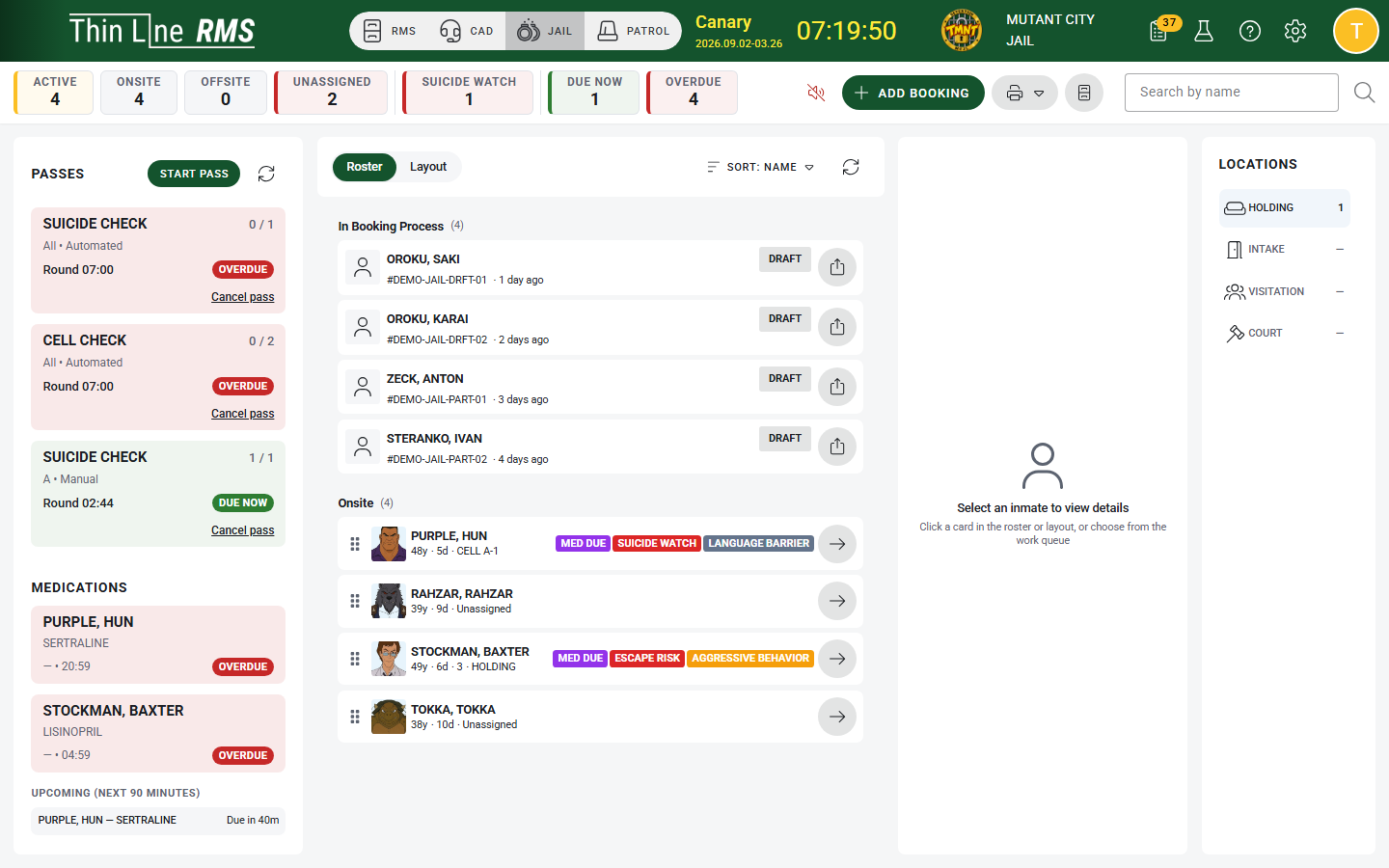
Roster, housing, and current location stay visible instead of living in separate logs.

Jail Management
Booking starts the record. Classification, housing, checks, movement, medication, and release build on it.
Different roles see the custody information they need for the work in front of them.
Thin Line Jail Management is custody software for booking, housing, checks, medication, movement, and release.
Explore the screenSelect a number to see how the work moves.
Roster, housing, and current location stay visible instead of living in separate logs.
Checks, medication, alerts, and overdue work stay on the same floor view.
Moves, observations, medication, and notes remain on the custody record as staff work.
Release and transfer start from the same person, housing, property, and authority. Nobody starts over.
What's in it
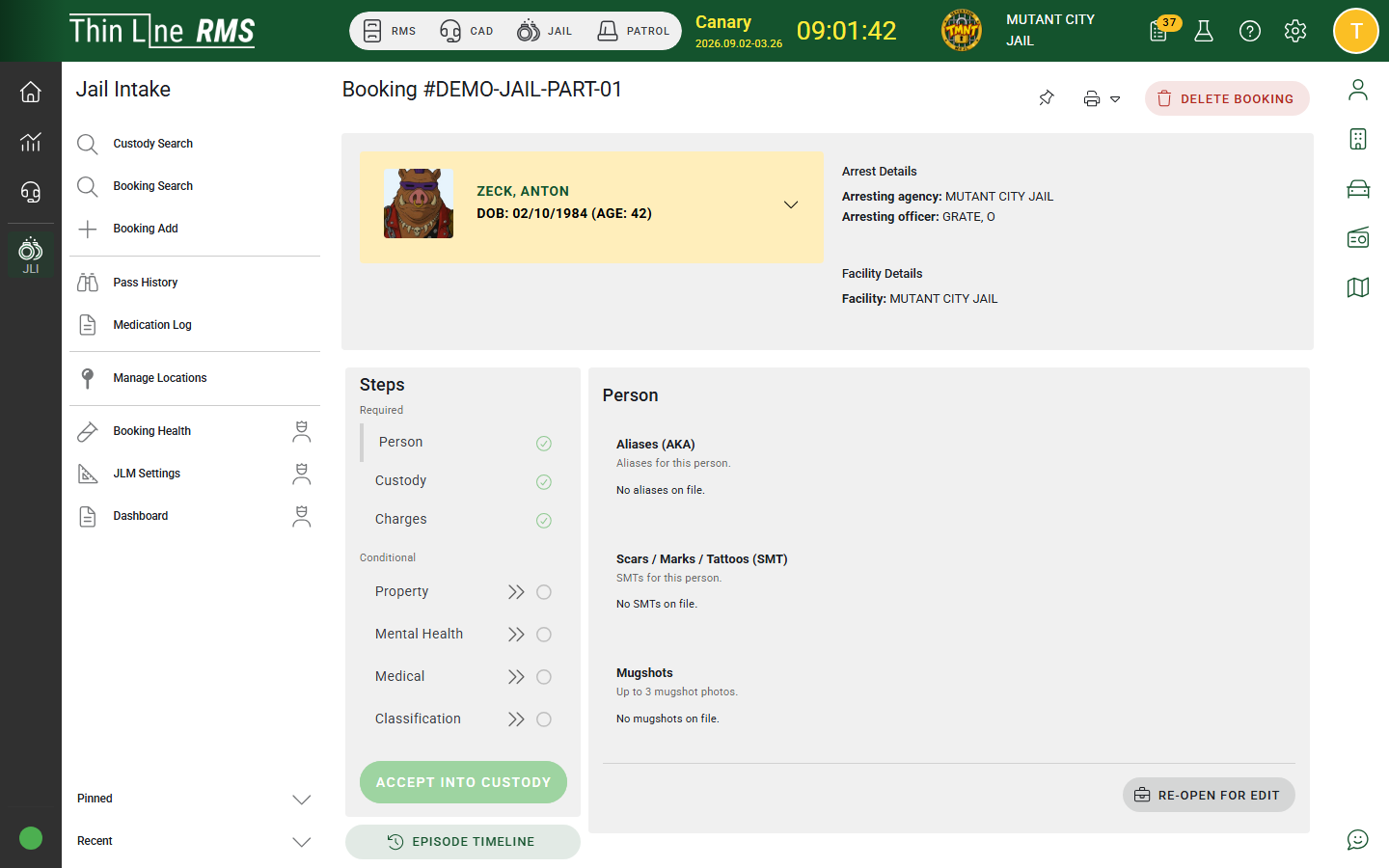
Identity, charges, property, intake details, classification, and acceptance into custody.
Cells, passes, transfers, and current location.
Observations, restrictions, alerts, and day-to-day activity.
Due medication, administration, and history on the same person.
Release authority, property return, population, and history from the custody record the floor already uses.
The working floor
The floor view reflects the placement. Checks, medication, movement, and notes build the custody history.
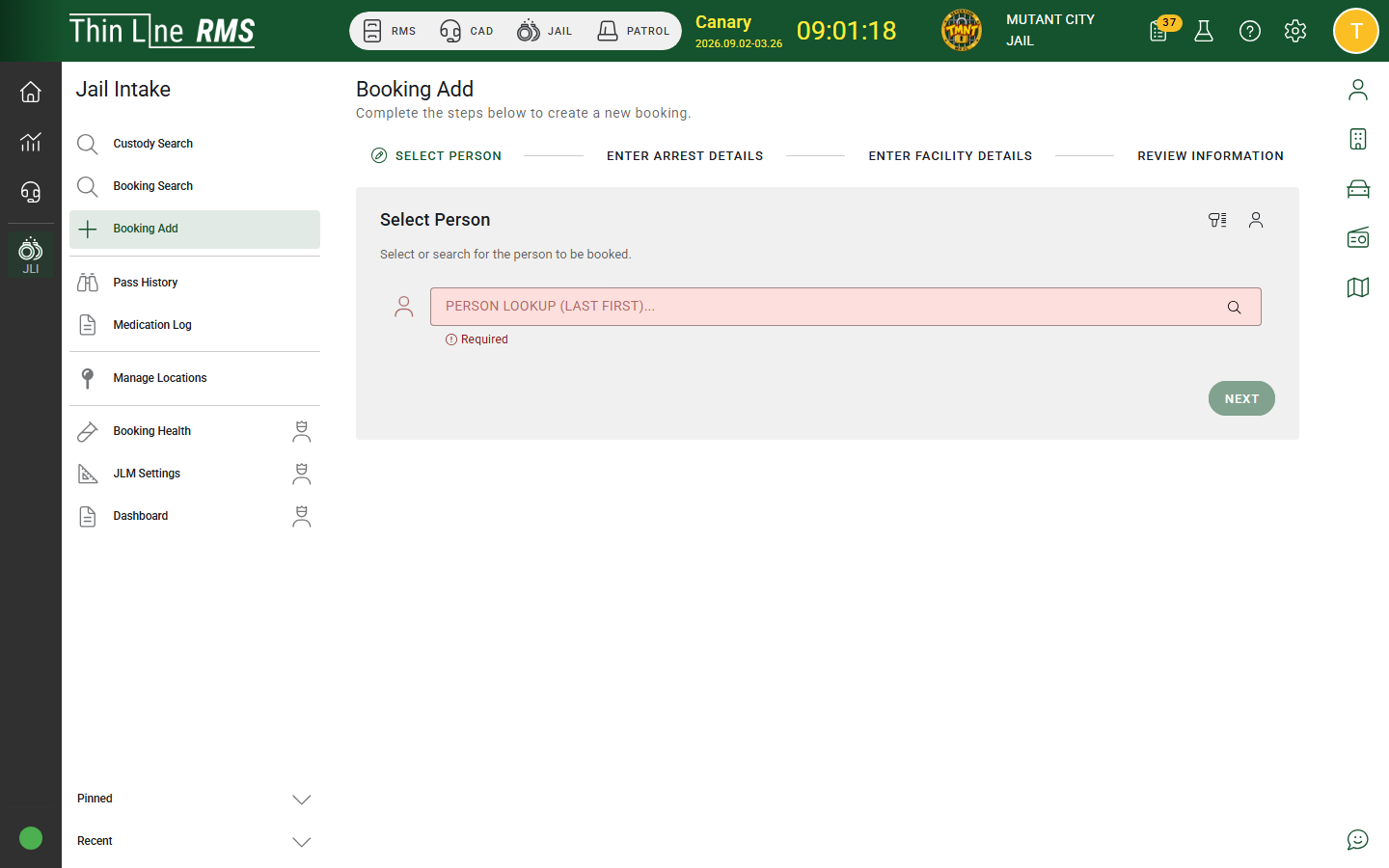
Staff capture the person, charges, and intake details before the facility accepts custody — and when RMS is connected, arrest context can carry in so booking does not start from a blank form.
Booking, property, intake questions, and acceptance into custody live on one event. The Command Center takes over once the person is in custody.
Classification, suicide watch, escape risk, medical flags, and other restrictions remain part of the live custody picture — not a separate file.
Roster, due work, medications, passes, and person detail sit in one operational view so staff can run the floor without reconstructing status from logs.
Housing assignments, onsite / offsite status, and current location stay visible so staff are not asking the floor who is in which cell.
Cell changes, passes, and transfers update location while remaining part of the custody history — so movement is both live status and record.
Cell checks and observations appear as operational work on the board. Completing them builds the observation history automatically.
Medication logging, due activity, and administration history sit with the person in custody so care tracking is part of daily operations — not a side spreadsheet.
Alerts, open items, and critical flags remain visible with the person and the facility overview so supervisors are not chasing paper.
Release authority, property return, offsite transfer, and status changes close the custody event without discarding housing, activity, or who did what.
Population, activity, and audit history come from the same custody data staff used on the floor — not a disconnected reporting system.
Same record
Booking doesn't need the supervisor's floor view, and the floor doesn't need booking's form. Each role sees the same custody record from the work they do.
Sees what it needs to accept the person into custody.
See who is where and what is due.
See what still needs attention.
Sees facility activity from the same record.
Sees the custody history when the event closes.
Explore the screenSelect a number to see how the work moves.
Where the work continues
Jail Management doesn't depend on another Thin Line product to run the floor. But when a facility also uses RMS or Court, booking and release don't have to start from a blank form.
RMS
The person, charges, and arrest information can continue into booking when RMS is connected.
Court Management
Warrants, bonds, court dates, and release-related authority can inform custody when Court is connected.
Law Enforcement
Custody status and release can remain available to authorized users where policy allows.
Bring your records
Moving to Thin Line shouldn't mean starting over. We work with your existing custody records, map what can come across, and validate the conversion with your facility before go-live.
Evaluating the details?