Visible by default
Calls, units, assignments, statuses, and notes stay on the same board.

CAD
Calls, units, assignments, statuses, and notes stay on one board from intake through clear.
The board changes as the response changes. When RMS is connected, a cleared call can become an incident without rebuilding the call sheet.
Thin Line CAD is computer-aided dispatch software for calls, units, assignments, statuses, notes, mapping, and response history.
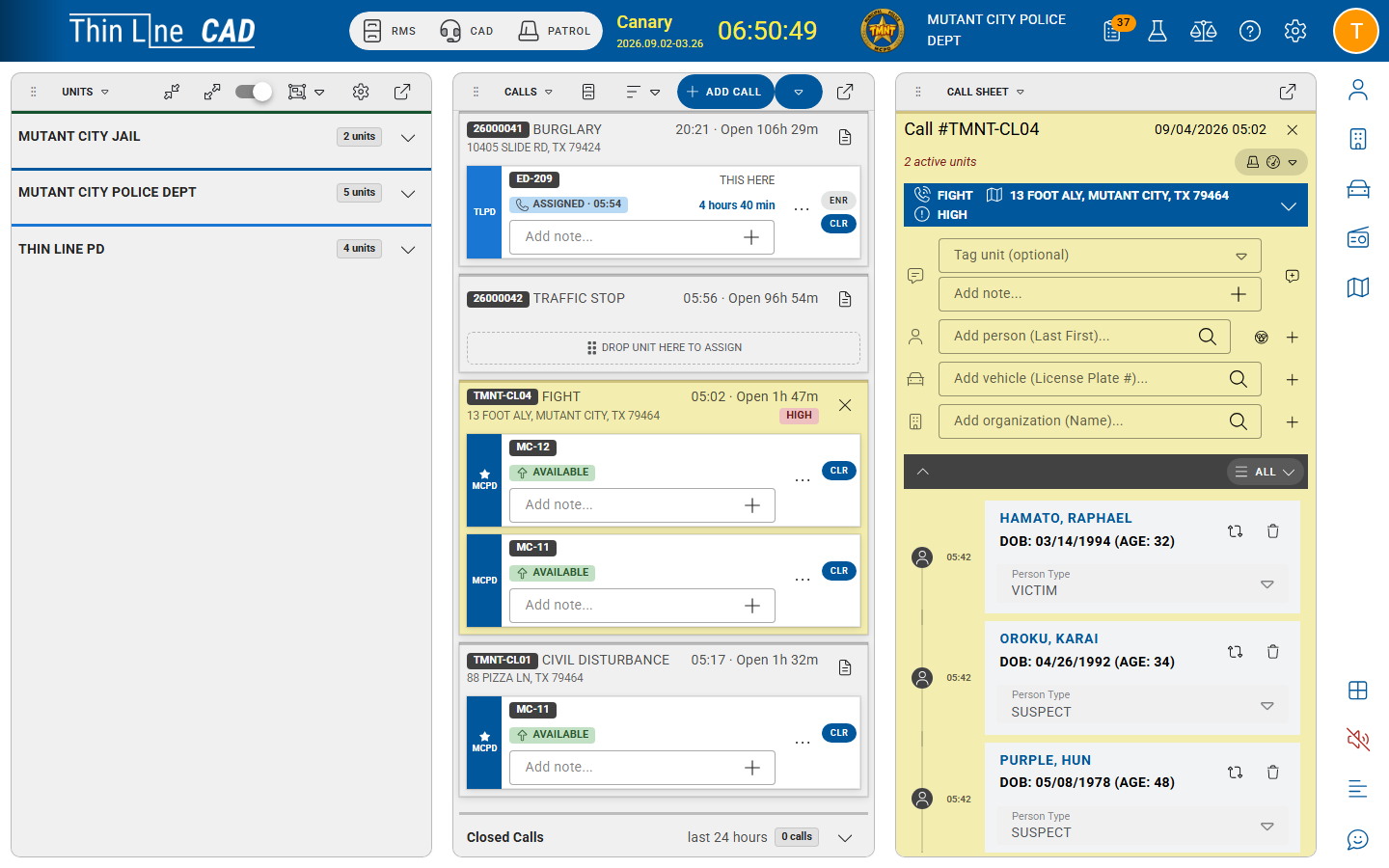
Explore the screenSelect a number to see how the work moves.
Calls, units, assignments, statuses, and notes stay on the same board.
Notes, timestamps, assignments, and status changes remain on the call after it clears.
Call takers and dispatchers can assign, update, and clear without leaving the call they are working.
When RMS is connected, a qualifying call can become an incident. Nobody starts over.
What's in it
Type, priority, location, caller, notes, assignments, updates, and clearance.
Who is available, who is assigned, and how unit status changes as the response moves.
Active calls, unit status, the map, and call detail in one working view.
Assignments and notes reach the units on the call. Updates from the field come back to the board.
Call sheets and unit logs stay available after clear. Qualifying calls can become RMS incidents when RMS is connected.
The working board
The call is not a row on a list. Dispatchers, units, and supervisors keep working it.
Type, priority, location, people, vehicles, notes, and updates live on the call sheet as the event develops. Dispatchers capture the facts without leaving the board.
Calls, units, assignments, and statuses stay visible together so dispatchers can run the response without hunting across screens. Workload is readable at a glance as the event changes.
Availability, assignment, and activity stay visible so dispatchers can move the right resource without reconstructing unit state from radio traffic.
Call location, unit position, and street context sit beside the board so dispatchers can assign and coordinate with geographic awareness.
Officers can create a call-for-service and track resources without waiting on a separate channel. The event still lands on the board where dispatch can see it.
Notes, timestamps, assignments, status changes, and clearance become part of the call record automatically — not a reconstruction after the fact.
Closed call sheets, unit logs, and event history remain available for review, audit, and reporting from the same operational data dispatch used live.
When RMS is connected, qualifying calls can continue into an incident without rebuilding the location, people, notes, or timeline. Dispatch and records stay on one path.
Same board
Call takers don't need the supervisor's board, and supervisors don't need the call-taker's. Each role sees the same call from the work they do.
See what they need to start the call.
See what they need to run the response.
See the call they were assigned.
See what still needs attention.
See the history when the call becomes an incident.
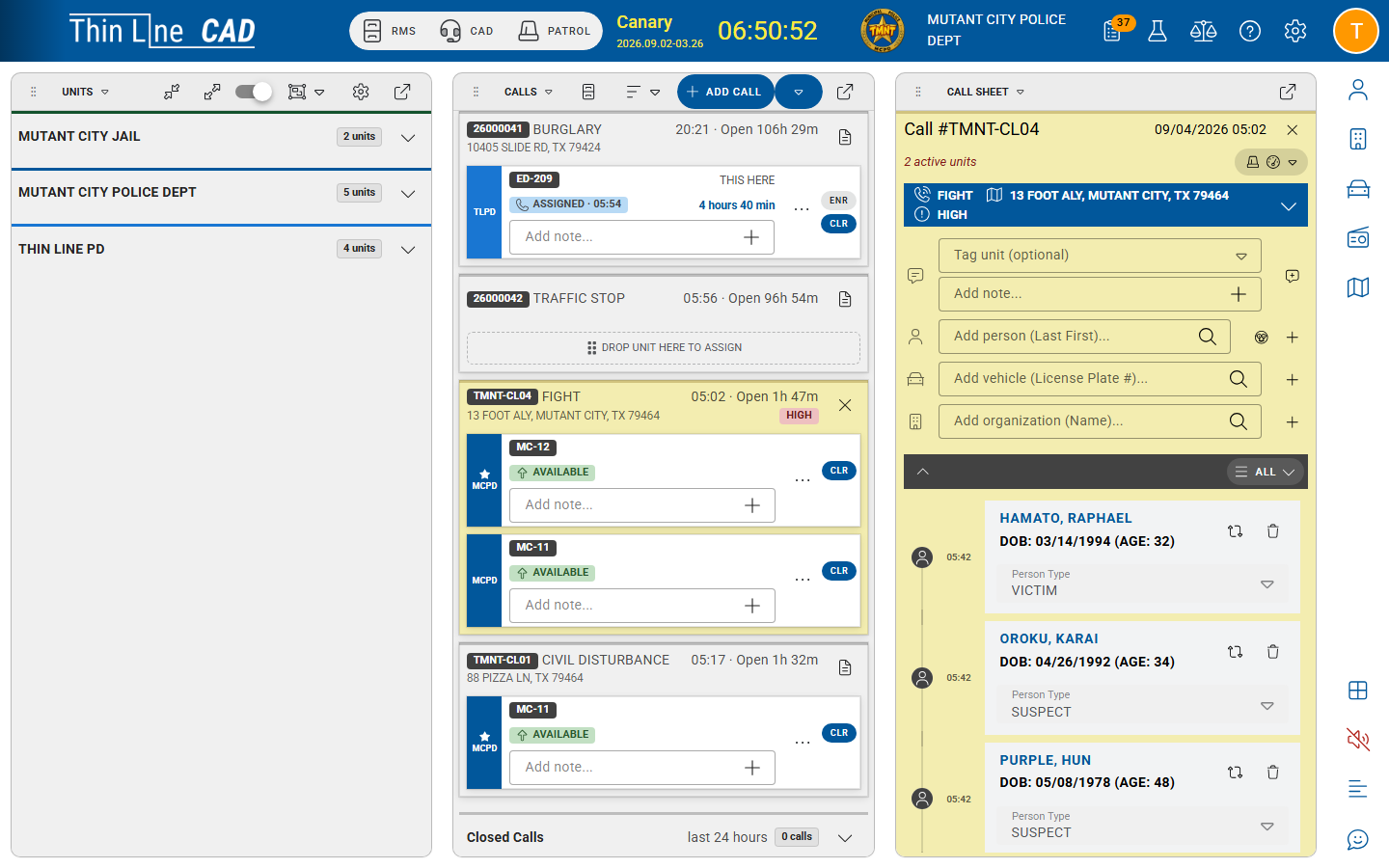
Explore the screenSelect a number to see how the work moves.
Where the work continues
CAD doesn't depend on another Thin Line product to do its job. But when an agency also uses RMS or Mobile Citations, the call doesn't have to start over at the boundary.
RMS
A qualifying call can become an incident without rebuilding the location, people, notes, or timeline.
Mobile Citations
A stop that starts on the board can continue into a field citation when both products are in use.
Law Enforcement
Dispatch starts the response. Patrol and records continue from the same call where those products are connected.
Bring your history
Moving to Thin Line shouldn't mean starting over. We configure the board around how your center works, bring existing call history where it can come across, and validate it with you before go-live.
From the field
Evaluating the details?