Written at the stop
The driver, vehicle, location, and violation are captured while they are still in front of the officer.

Mobile Citations
The citation starts at the stop and returns as structured record data.
Officers do not rebuild the same driver and violation information later.
Thin Line Mobile Citations is eCitation software for capturing citations and related data in the field.
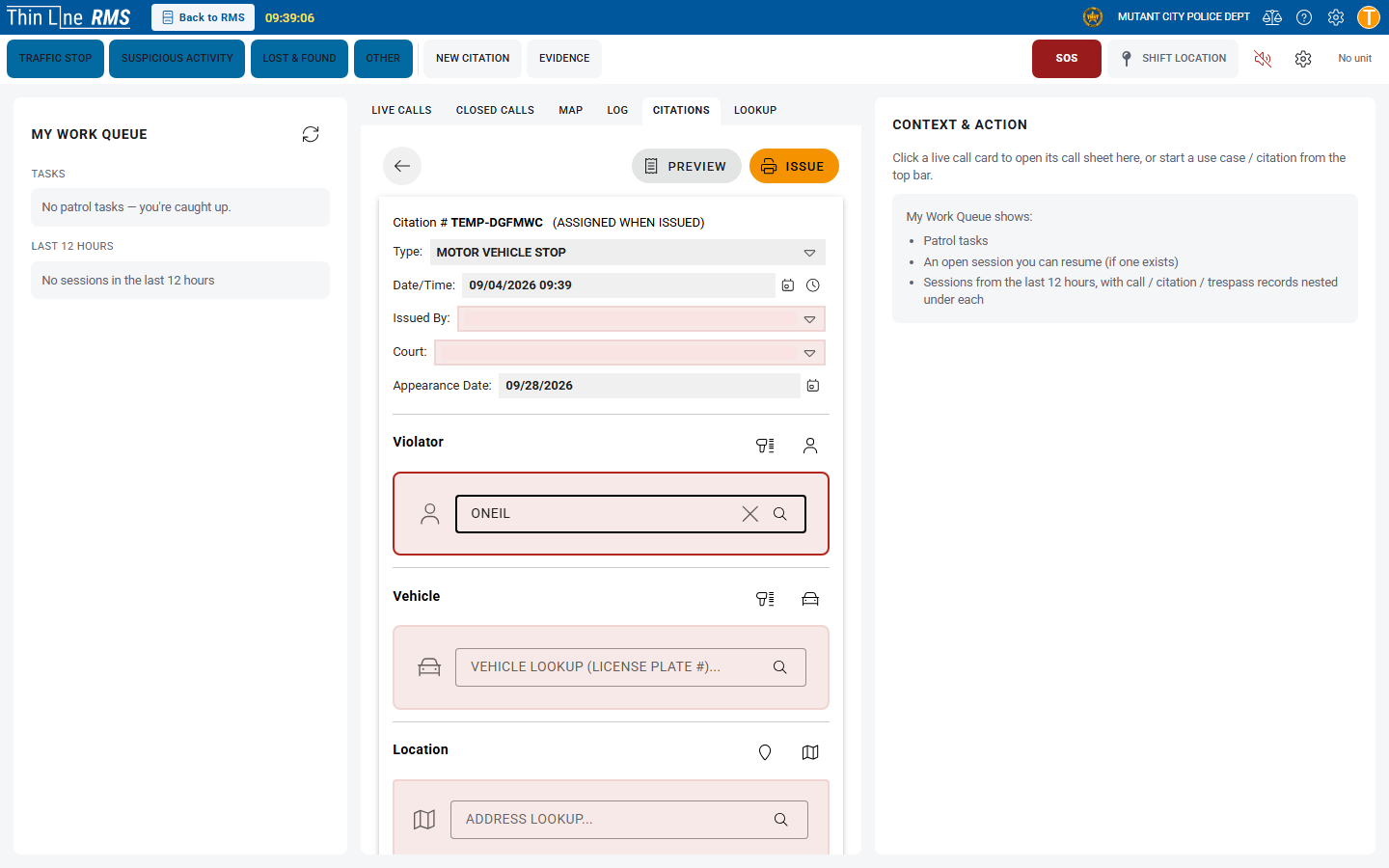
Explore the screenSelect a number to see how the work moves.
The driver, vehicle, location, and violation are captured while they are still in front of the officer.
Structured fields and scanning where configured cut down typing the same license and registration again.
The person, vehicle, and charges stay on the citation after it is issued.
Issued citations can continue into RMS, and into court when Court is connected. Nobody starts over.
What's in it
Driver, vehicle, location, and the circumstances of the stop.
Draft, validate, sign, and issue from the device before leaving the roadside.
Current Texas offense data so the charge on the citation matches the later record.
Completed citations return to RMS as structured record data.
Defendant, citation, and charge can become the start of the court case.
The working citation
The citation is finished in the field. Records and court continue from what the officer already wrote.
Officers capture the citation, violations, location, and officer details in the field instead of reconstructing the ticket later. The same structured record is what RMS receives.
Driver, vehicle, registration, and identification information are captured with the citation so RMS does not have to recreate those facts.
Device cameras or scanners import driver license and vehicle registration information so officers spend less time keying data at the roadside.
Officers select violations from the same Texas offense data the agency uses in RMS — so the citation and the later record stay aligned.
Signatures and completion happen with the officer in the field so the issued citation is a finished record, not a draft waiting to be retyped.
Required fields and validation help officers finish a complete citation in the field so records is not reconstructing missing pieces later.
Completed citations return to RMS without duplicate entry. People, charges, and citation history stay available for review, reporting, and court when that work comes next.
Same citation
Patrol does not need the clerk’s view, and the clerk does not need the roadside form. Each role sees the same citation from the work they do.
Sees what it needs to write the citation.
See citation activity after the stop.
Sees the structured citation that already came in.
Sees the defendant and charge when Court is connected.
Sees citation volume from the same record.
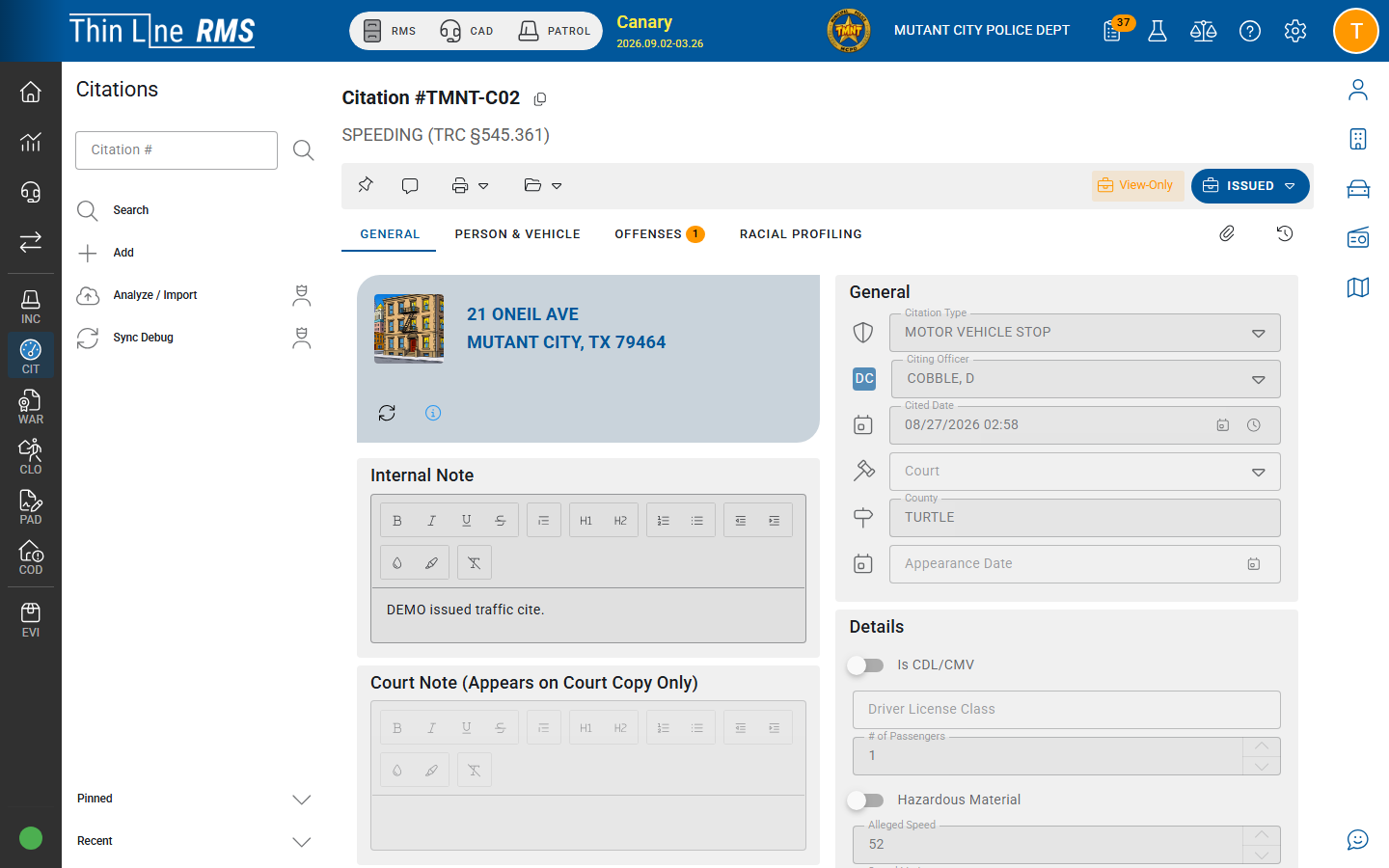
Explore the screenSelect a number to see how the work moves.
Where the work continues
Mobile Citations doesn't depend on another Thin Line product to issue a citation. But when an agency also uses RMS or Court, the citation doesn't have to be typed again at the boundary.
RMS
Completed citations sync into the agency record with the person, vehicle, and charges still attached.
Court
When Court is connected, the defendant, citation, and violation can become the start of the court case.
Bring your records
Moving to Thin Line shouldn't mean starting over. We configure Mobile Citations around how your officers write tickets, and validate issuance and sync with your agency before go-live.
From the field
Evaluating the details?